
David Chan, Google Certified Teacher, recently described his experience with Google Docs on the iPad. He addresses composing, revising and viewing Google Docs files, including documents, spreadsheets and presentations. More here.
iPad Tips & Tutorials

Passing the Bar In Safari on your Mac you probably make use of the Bookmarks Bar for quick access to your favorite web links. How do you see this same Bookmarks Bar on Safari on the iPad? Settings > Safari […]
How to Add the Bookmarks Bar to the Safari Browser ...
Things That Go Ding in the Night You’ll get a notification chime when mail arrives. When your iPad is on a network (Wi-Fi or cellular), this chime can sound whenever new mail arrives, even in the middle of the night. […]
How to Control the Mail Notification and Other Sounds on ...
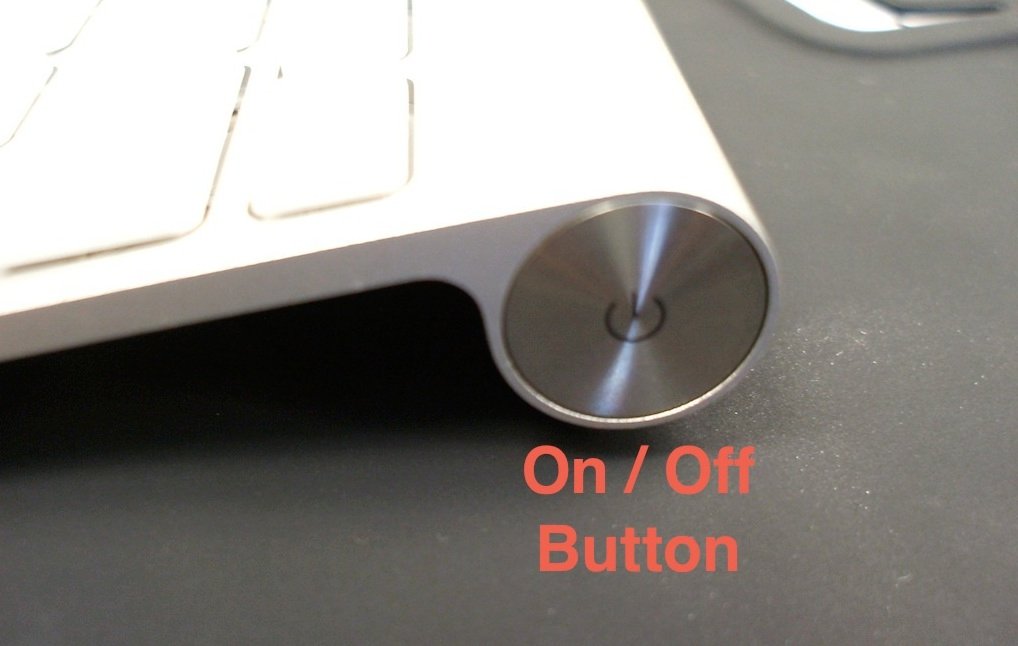
Get Physical and Virtual Don’t like typing on the iPad’s virtual (soft) keyboard or just prefer a true keyboard? The Apple Wireless Keyboard works well with the iPad, as do many other Bluetooth keyboards. When you have a Bluetooth keyboard […]
Tips on Using a Bluetooth Wireless Keyboard with Your iPad
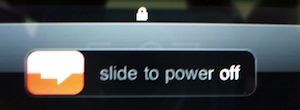
Seizing and Freezing iPads rarely freeze up. But occasional malfunctions or misbehaving apps can render your iPad catatonic. Here are three methods to get things going again. Try them in this order. 1. Force quit the app. Press and hold […]
iPad Frozen? How to Force Quit an App, Reset or ...
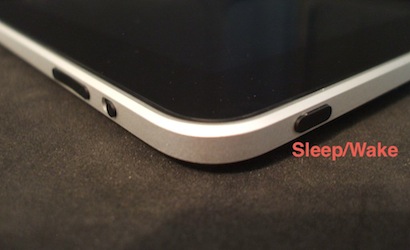
You can take a snapshot of any screen on your iPad by pressing the Home button and the Sleep/Wake button at the same time. You’ll see a white flash on the screen, confirming the picture was taken. The screenshot is […]