
I’ve been spending more time recently with apps for taking notes on the iPad. Specifically, a few that support handwriting. You can use a finger to take notes but a stylus is highly recommended. All these apps employ some sort […]
how to
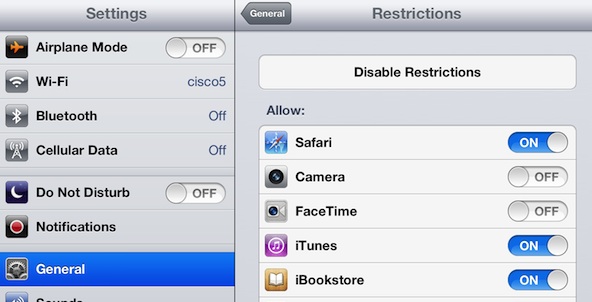
Every iPad currently comes with 19 built-in apps. You can find an introduction to the built-in apps on the Apple website at this link. These default apps appear on the home screen and the dock of your iPad once you […]
You Can’t Delete Built-In Apps That Come With the iPad. ...
A friend recently asked for help with setting up a “remote control” for an iPad presentation. That is, how to wirelessly control a set of Keynote slides running on an iPad connected to a projector. Not surprisingly, there’s an app […]
How to Set Up a Remote Control for iPad Presentations ...
I’ve written before about How to Solve the Problem of An iPad App Download Stuck on Waiting. Since then, I’ve been asked the question a few more times and spent some time looking for additional solutions to the stuck app […]
iPad App Stuck on Installing: How to Get App Downloads ...
A student in my online class asked this question: I recently created an album and moved some pictures into it. I now realize that I misspelled a word in the album title. I can’t figure out how to edit the […]
iPad Tip: How to Change the Name of An Album ...

Web pages, websites, email messages and other Internet content contain links. These embedded links can take us to related topics or additional sites of interest. Tapping one of these links while in the Safari web browser will quickly take you […]