Yesterday I announced a new edition of iPad Academy: Tips, Tricks and Clever Techniques (TTCT). Here’s a sample tutorial from the second edition of this how-to guide for the iPad. We Don’t Need No Stinking Badges! A few types of […]
Get Physical and Virtual Don’t like typing on the iPad’s virtual (soft) keyboard or just prefer a true keyboard? The Apple Wireless Keyboard works well with the iPad, as do many other Bluetooth keyboards. When you have a Bluetooth keyboard […]
Seizing and Freezing iPads rarely freeze up. But occasional malfunctions or misbehaving apps can render your iPad catatonic. Here are three methods to get things going again. Try them in this order. 1. Force quit the app. Press and hold […]
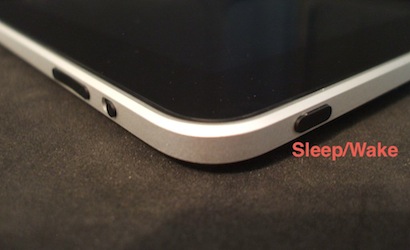
You can take a snapshot of any screen on your iPad by pressing the Home button and the Sleep/Wake button at the same time. You’ll see a white flash on the screen, confirming the picture was taken. The screenshot is […]
Apple has excellent quality control and often ranks at the top in customer satisfaction surveys. Still, a few units with pixel problems have been reported. Shortly after purchase you should examine your iPad screen for dead or stuck pixels. First, […]
A few days ago, I wrote about a new eBook I’ve been working on. I’m happy to announce iPad Academy: Tips, Tricks and Clever Techniques is now available. Chapter Zero shows beginners (and others) where to get free guides and […]