
Here’s another quick tip taken from my eBook iPad Academy: Tips, Tricks and Clever Techniques.
The Silent Treatment
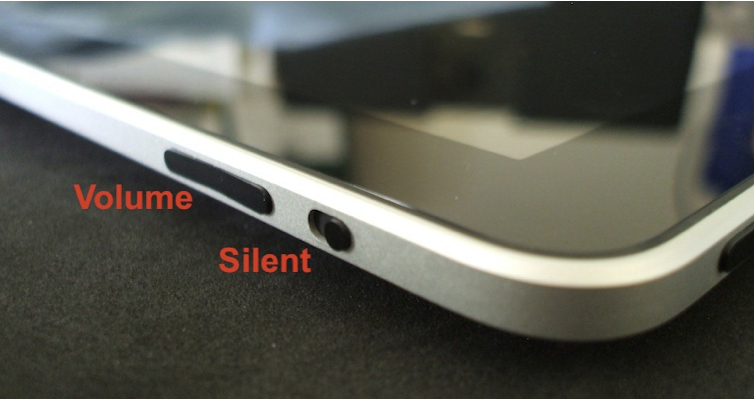
The volume control is a rocker switch. Press the upper side to increase volume and the lower side to reduce it. You can rapidly reduce volume to zero by holding the volume down for about two seconds. Just above the volume rocker button is the Silent button. This button only silences app sounds and sound effects. It has no effect on music or the soundtrack from a video. Slide it down to give apps the silent treatment. Don’t you wish you had controls to mute obnoxious cell phone users just as quickly and easily?
Posted on 30 January 2011
Tags: tip
About the Author
Dr. Andy Brovey, The Portable Prof, has over twenty-five years experience in educational technology, including teaching, administration and professional development. In 2007, Apple Inc. recognized his work and named him an Apple Distinguished Educator. Andy now runs a professional development business, working on site and online to help others make sense and make use of digital tools. He started the iPad Academy blog shortly after the first iPad went on sale, and is the author of the self-published eBook - iPad Academy: Tips, Tricks and Clever Techniques. He also created and directs the iPad Academy Master Class, an online video training series to help others become more comfortable and competent with the iPad. Video Message from Andy
Trackbacks For This Post