
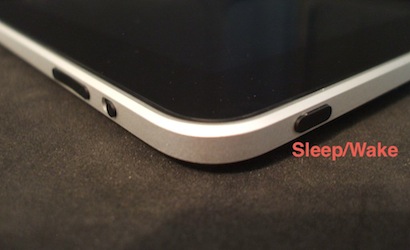
You can press the Sleep / Wake button to quickly put your iPad in Stand By mode. If you have a music app running, your display will go dark but the music will keep playing. You can still adjust the volume using the volume rocker switch. To wake the iPad, press Sleep / Wake again or press the home button. On the iPad 2, you can simply close or open the Smart Cover if you have one.
That’s one of those reassuring tips. Thank you, and I appreciated your Tips n Tricks for I Pad 2, as well.
Do you trouble shoot for readers?
My e-mail function on Photos, Pro recorder and other “share by e-mail” aps has ceased to function. I figure there’s a setting that needs to be turned on somewhere, but I ‘m scratchin’ my head! Any tips?
Sandy – Thanks for the kind words about my eBook. Your problem is an odd one. As far as I know there is no setting your are missing. Have you tried restarting your iPad?
http://ipadacademy.com/2010/11/ipad-frozen-how-to-force-quit-an-app-reset-or-restart-your-ipad
This problem is reported occasionally on the iPhone and a restart seems to fix.